
Backbones · campus links · splicing · testing
Fibre Optic Installation and Splicing in Kenya
GS TechGuard handles fibre optic installation in Kenya for offices, estates, schools, factories and campuses. We design fibre backbones between floors and buildings, install cable in protected routes, splice and terminate each core, test every link and hand over records you can use for years.
- Indoor and campus backbones designed to last
- Fusion splicing and clean termination
- Every core tested and documented
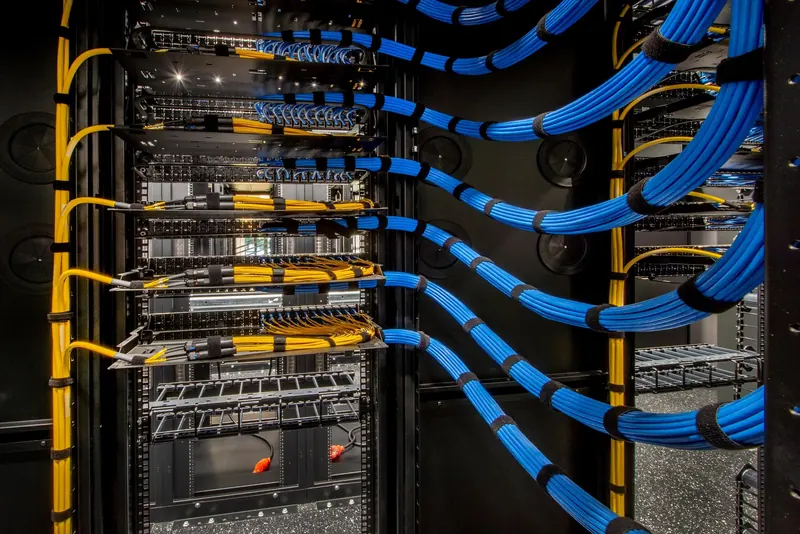
Copper cable is perfect for desks, phones and cameras within 100 metres of a rack. Beyond that, or between buildings, fibre takes over. It carries far more data over far longer distances, ignores electrical interference and does not conduct lightning surges. For growing sites, fibre optic installation is the backbone that ties everything together.
This page explains where fibre beats copper, how we build campus and building backbones, how splicing and testing work and what to expect from a project.
Coverage
Where fibre beats copper
The table shows the practical differences. In addition, it explains why most new campuses now use fibre between buildings.
| Factor | Copper (CAT6/CAT6A) | Fibre |
|---|---|---|
| Distance | Up to 100 m per link | Hundreds of metres to many kilometres |
| Speed | Up to 10 Gbps | 10, 40 or 100 Gbps and more |
| Electrical interference | Can be affected near motors and power cables | Immune |
| Lightning and surges | Can carry surges between buildings | Does not conduct electricity |
| Power over the cable | Yes (PoE) | No |
| Cost of the link | Lower for short runs | Higher, but often cheaper per metre on long runs |
In short, use copper at the edge and fibre for the backbone. We recommend fibre optic installation whenever a link exceeds about 90 metres, joins two buildings, passes heavy machinery or carries the main traffic between floors.
Fibre Optic Installation
Single-mode or multi-mode?
There are two main types of fibre, so choosing the right one saves money.
For new outdoor and campus projects, we usually recommend single-mode because the cost gap has narrowed and it leaves room to grow. However, inside a building with existing multi-mode equipment, we may match what is already there.
Schools
Campus and building backbones
A backbone links the main communications room to secondary racks on other floors or in other buildings. Good design follows a star layout, with each remote rack connected back to the core. In addition, we often add a second route for important links, so one damaged cable does not cut off a building.
Typical fibre optic installation projects include:
- linking floors in a multi-storey office;
- connecting buildings across a school or hospital campus;
- running fibre to a gate house, guard post or remote store for cameras and access control;
- joining factory offices to production halls;
- linking apartment blocks in a gated estate to a central management office.
For outdoor routes, we use armoured or duct-rated cable in buried ducts with draw pits, or aerial cable on poles where trenching is not possible. Indoors, fibre runs in trays or inner duct, protected from crushing and tight bends.
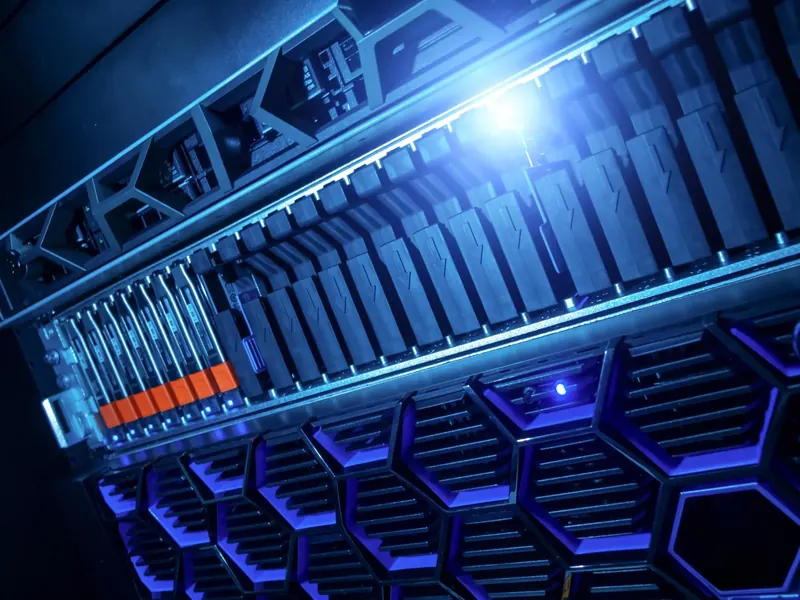
Fibre Optic Installation
Splicing, termination and testing
Each fibre ends in an optical distribution frame (ODF) or patch panel inside the rack, with clearly labelled ports.
Testing then proves the link works. At minimum, we measure the optical loss of every core with a light source and power meter and compare it with the expected budget. For longer or critical links, an OTDR (optical time domain reflectometer) test shows the position and loss of every splice and connector. We confirm the test method in the quote, and you receive the results.
How it works
Our fibre optic installation process
- Survey the route. We walk the path, look for obstacles and plan ducts, poles or trays.
- Design. Next, we choose fibre type and core count and plan splice points and patch panels.
- Civil and containment. Then our team installs ducts, pits, trays or poles as needed.
- Cable installation. We pull or blow the cable carefully, keeping within tension and bend limits.
- Splice and terminate. After that, we fusion splice pigtails and mount them in labelled panels.
- Test and document. Finally, every core is tested, and you receive route drawings and results.
Most building backbones take a few days. Campus routes with trenching take longer, mostly because of civil work and weather.

Cabling
Common fibre problems we fix
We are often called to sites where fibre was installed but never performs as it should. The causes repeat, so they are worth knowing before you hire anyone.
- Tight bends: fibre squeezed around a sharp corner loses light. As a result, the link drops in hot weather or when someone touches the rack.
- Dirty connectors: a speck of dust on a connector face can block much of the signal. So we clean and inspect every connector before plugging it in.
- No slack: without a spare loop at each end, a simple rack move becomes a full re-splice.
- Unprotected outdoor runs: cable laid on the surface or in shallow trenches gets cut by gardeners and builders.
- Mixed fibre types: joining multi-mode and single-mode fibre by mistake causes heavy loss.
- No records: without splice records, finding a fault takes hours instead of minutes.
Each of these is easy to avoid with care at the start. That is why our fibre optic installation process includes inspection, cleaning and records as standard steps, not extras.

Cabling
Fibre and your wider network

A backbone only works with the right switches and transceivers at each end. Our structured cabling team installs the copper side, and our network infrastructure team configures the switches. Where trenching is impossible, a wireless point-to-point link can be a practical alternative or backup.
Fibre optic installation also helps security systems. Cameras far from the main building, for example along a fence or at a remote gate, often connect back through fibre. That keeps lightning damage away from your recorder and switches.
Costs and pricing
Fibre optic installation cost factors
We quote per project after surveying the route. For long outdoor runs, civil work often costs more than the cable itself, so route planning matters.
Rules and standards
Standards and good practice
We follow recognised standards for optical cabling from bodies such as ISO/IEC and the Telecommunications Industry Association, together with the cable maker's handling limits. Good practice includes proper bend radius, labelled slack loops at each end, sealed duct entries to keep out water and pests, and clear warning tape above buried cables.
Why choose us
Why choose GS TechGuard for fibre optic installation
- We design the backbone as part of your whole network, not in isolation.
- Our team handles civil work, cabling, splicing, testing and configuration.
- You receive route drawings, splice records and test results.
- We support the link after handover, including repairs after accidental damage.
To plan fibre optic installation in Kenya for your site, request a survey and tell us the buildings or floors you need to connect.
How it works
Planning fibre optic installation for growth

Fibre outlasts several generations of switches, so plan the core count with the future in mind. Pulling a second cable later costs far more than adding spare cores now. As a rule, we install at least twice the cores you need today on building links, and more on campus routes. For example, a link that needs two cores for a switch uplink today might later carry cameras, a separate guest network and a backup path. Spare ducts are also worth adding during trenching, since digging is the most expensive part of any outdoor route.
Get started
Book a site survey
Tell us about your site and an engineer will call you back within one working day to discuss your needs and arrange a visit.
- Clear, itemised written quote
- Security, network, fire and power from one team
- Support and maintenance after handover
Prefer to talk? Call +254 184 379 590
Frequently asked questions
When do I need fibre instead of CAT6?
Use fibre when a link is longer than about 90 metres, connects two buildings, runs near heavy electrical equipment or carries the main traffic between floors. Fibre is also safer between buildings because it does not conduct lightning surges. Copper stays the right choice for desks and devices close to a rack.
Do you test and certify fibre links?
Yes. Every core gets an optical loss test with a light source and power meter, compared with the expected link budget. For long or critical links we also provide OTDR traces showing each splice and connector. We agree the test level in the quote and hand over the results.
How long does a fibre installation take?
Indoor backbones between floors usually take a few days. Campus links with trenching, road crossings or poles take longer, mostly because of civil work. We give you a schedule after the route survey and plan disruptive work around your operations.
Can you repair a cut fibre cable?
Yes. We locate the break, often with an OTDR, expose the cable, splice in a repair section and retest the link. For important routes we recommend a spare duct or a second path so service can continue while repairs happen.
Planning a project or fixing a fault?
Tell us about the site. We will arrange a survey, give you a clear written quote and explain the options in plain language.